 b5e0d6ee66
* Testcase for #2145 and debug-log (#2151)

* new models ana-cont-11.0.5, ana-class100-1.5.7, dig-class100-1.6.0

* Testcase for #2145
Added debug log, if allowNegativeRates is handeled

* Fix timezone config parser (#2169)

* make sure to parse the whole config line

* fix crash on empty timezone parameter

---------

Co-authored-by: CaCO3 <caco@ruinelli.ch>

* Enhance ROI pages (#2161)

* Check if the ROIs are equidistant. Only if not, untick the checkbox

* renaming

* Check if the ROIs have same y, dy and dx. If so, tick the sync checkbox

* only allow editing space when box is checked

* fix sync check

* show inner frame on all ROIs

* cleanup

* Check if the ROIs have same dy and dx. If so, tick the sync checkbox

* checkbox position

* renaming

* renaming

* show inner frame and cross hairs on all ROIs

* update ROIs on ticking checkboxes

* show timezone hint

* fix deleting last ROI

* cleanup

---------

Co-authored-by: CaCO3 <caco@ruinelli.ch>

* restart timeout on progress, catch error (#2170)

* restart timeout on progress, catch error

* .

---------

Co-authored-by: CaCO3 <caco@ruinelli.ch>

* BugFix #2167

* Release 15.1 preparations (#2171)

* Update Changelog.md

* Update Changelog.md

* Update Changelog.md

* Update changelog

* Fix links to PR

* Formating

* Update Changelog.md

* Update Changelog.md

* Update Changelog.md

* Update Changelog.md

* Update Changelog.md

* Update Changelog.md

* Update Changelog.md

* Update Changelog.md

* Update Changelog.md

* Update Changelog.md

* Update Changelog.md

* Update Changelog.md

---------

Co-authored-by: Slider0007 <jobbelle@gmx.net>
Co-authored-by: Slider0007 <115730895+Slider0007@users.noreply.github.com>

* fix typo

* Replace relative documentation links with absolute ones pointing to the external documentation (#2180)

Co-authored-by: CaCO3 <caco@ruinelli.ch>

* Sort model files in configuration combobox (#2189)

* new models ana-cont-11.0.5, ana-class100-1.5.7, dig-class100-1.6.0

* Testcase for #2145
Added debug log, if allowNegativeRates is handeled

* Sort model files in combobox

* reboot task - increase stack size (#2201)

Avoid stack overflow

* Update interface_influxdb.cpp

* Update Changelog.md

---------

Co-authored-by: Frank Haverland <fspapaping@googlemail.com>
Co-authored-by: CaCO3 <caco3@ruinelli.ch>
Co-authored-by: CaCO3 <caco@ruinelli.ch>
Co-authored-by: Slider0007 <jobbelle@gmx.net>
Co-authored-by: Slider0007 <115730895+Slider0007@users.noreply.github.com>
Welcome to the AI-on-the-edge-device

Artificial intelligence based systems have been established in our every days live. Just think of speech or image recognition. Most of the systems relay on either powerful processors or a direct connection to the cloud for doing the calculations up there. With the increasing power of modern processors the AI systems are coming closer to the end user - which is usually called edge computing. Here this edge computing is brought into a practical oriented example, where a AI network is implemented on a ESP32 device so: AI on the edge.
This projects allows you to digitalize your analoge water, gas, power and other meters using cheap and easily available hardware.
All you need is an ESP32 board with a supported camera and a bit of a practical hand.

Key features
- Tensorflow Lite (TFlite) integration - including easy to use wrapper
- Inline Image processing (feature detection, alignment, ROI extraction)
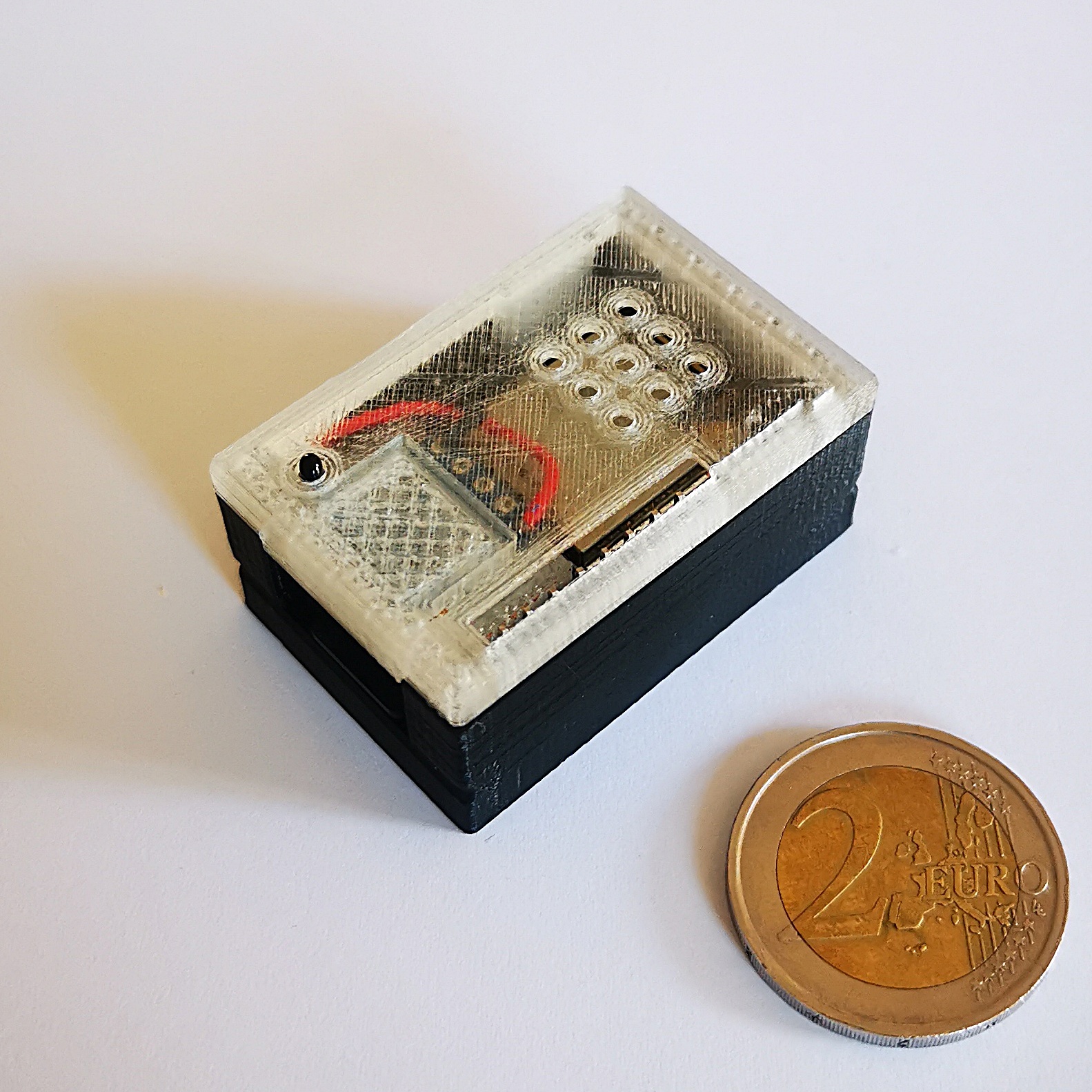
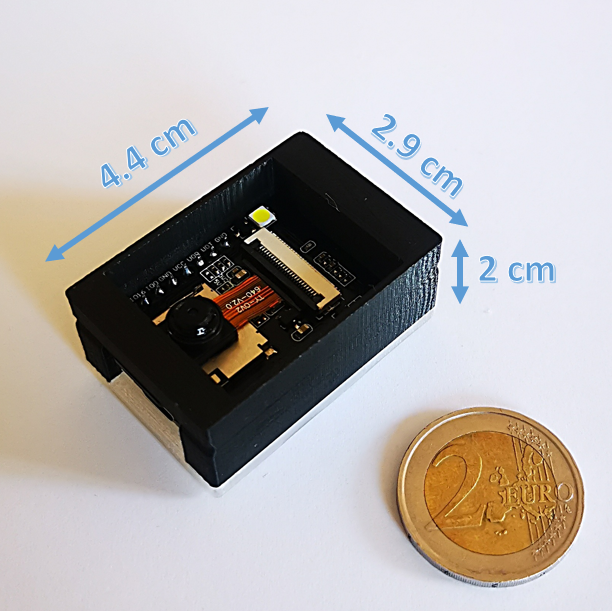
- Small and cheap device (3x4.5x2 cm³, < 10 EUR)
- camera and illumination integrated
- Web surface to administrate and control
- OTA-Interface to update directly through the web interface
- Full integration into Homeassistant
- Support for Influx DB 1
- MQTT
- REST API
Workflow
The device takes a photo of your meter at a defined interval. It then extracts the Regions of Interest (ROI's) out of it and runs them through an artificial inteligence. As a result, you get the digitalized value of your meter.
There are several options what to do with that value. Either send it to a MQTT broker, write it to an InfluxDb or simply provide it throug a REST API.
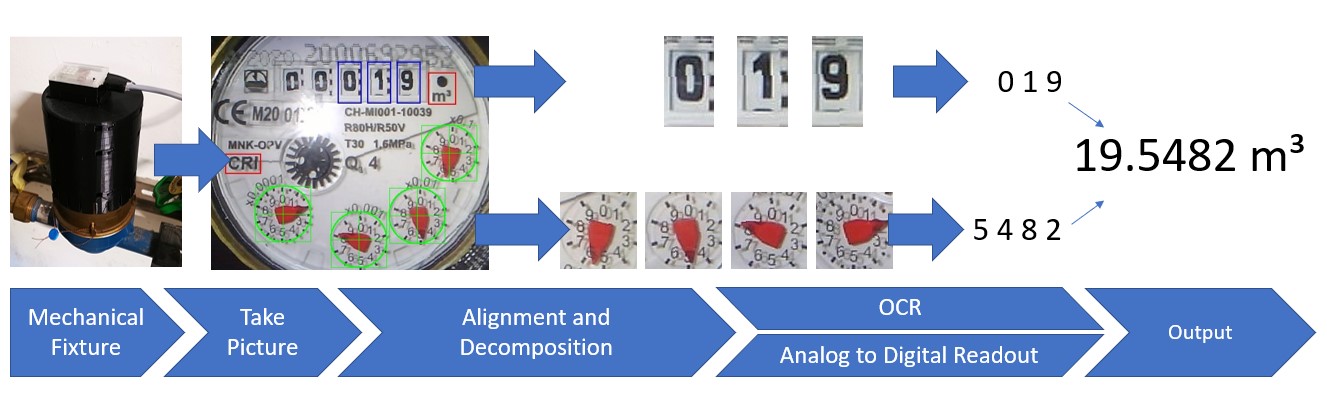
Impressions
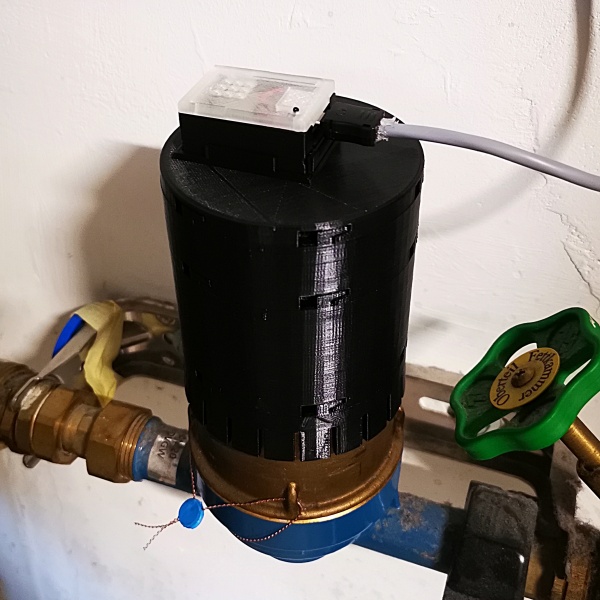
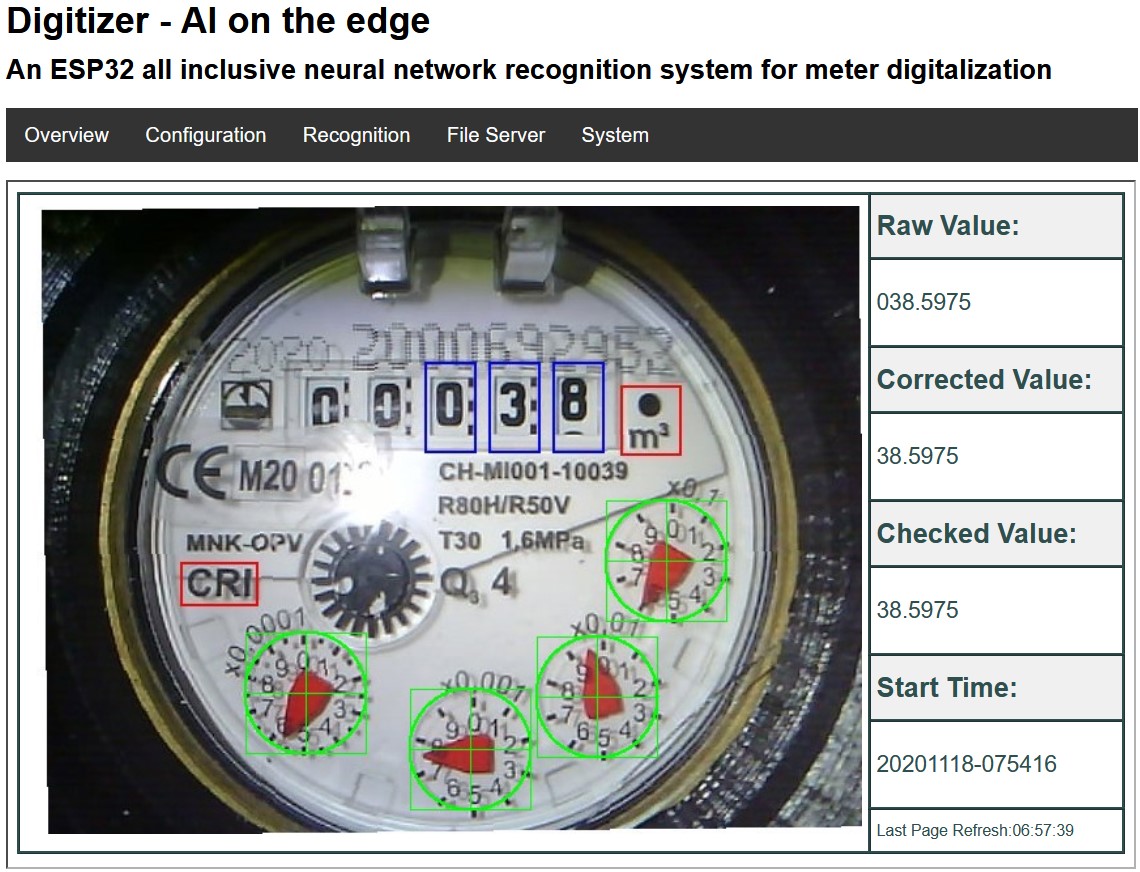
AI-on-the-edge-device on a Water Meter
Web Interface (Water Meter)
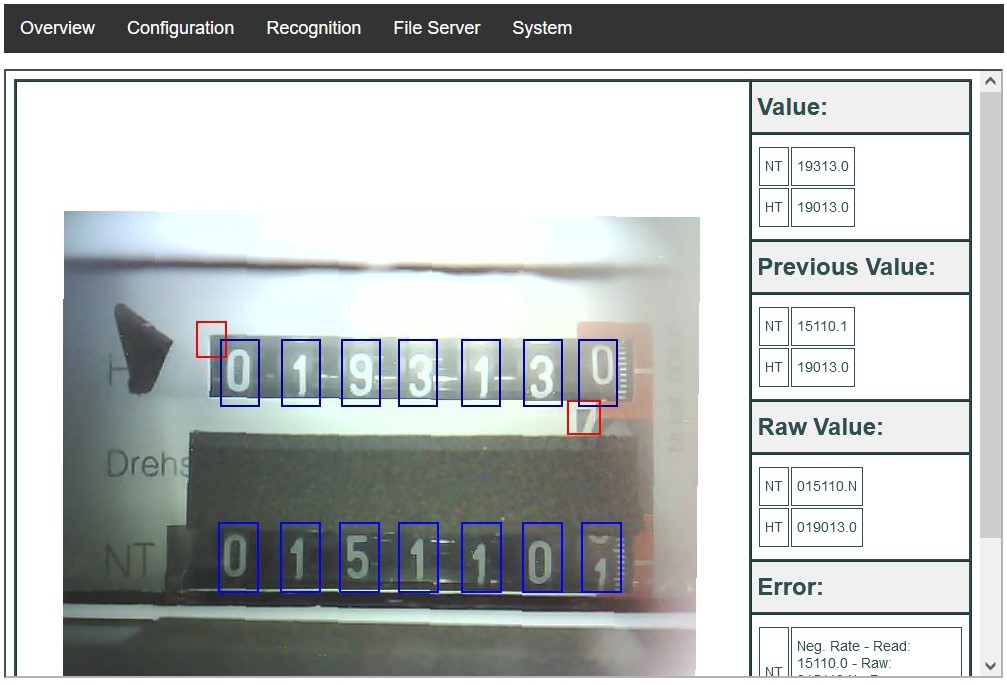
AI-on-the-edge-device on a Electrical Power Meter
Setup
There is a growing documentation which provides you with a lot of information. Head there to get a start, set it up and configure it.
There are also a articles in the German Heise magazine "make:" about the setup and the technical background (behind a paywall) : DIY - Setup
For further background information, head to Neural Networks, Training Neural Networks and Programming on the ESP32
Download
The latest available version is available on the Releases page.
Flashing of the ESP32
Initially you will have to flash the ESP32 through an USB connection. Later an update is possible directly over the Air (OTA).
There are different ways to flash your ESP32:
- Web Installer and Console (Webbrowser based tool to flash the ESP32 and extract the Log over USB)
- Flash Tool from Espressif
- ESPtool (Command Line Tool)
See the Docu for more information.
Flashing the SD-Card
The SD-Card must be flashed separately, see the Docu for details.
Casing
A 3d-printable housing can be found here:
- https://www.thingiverse.com/thing:4573481 (Water Meter)
- https://www.thingiverse.com/thing:5028229 (Power Meter)
- https://www.thingiverse.com/thing:5224101 (Gas Meter)
- https://www.thingiverse.com/thing:4571627 (ESP32-Cam housing only)
Build it yourself
See Build Instructions.
Donate
If you would like to support the developer with a cup of coffee you can do that via Paypal.
 If you have any technical topics, you can create an [Issue](https://github.com/jomjol/AI-on-the-edge-device/issues).
In other cases you can contact the developer via email: 
Changes and History
See Changelog
Tools
- Logfile downloader and combiner (Thx to reserve85)
- Files see '/tools/logfile-tool', How-to see Docu
Additional Ideas
There are some ideas and feature requests which are not followed currently - mainly due to capacity reasons on side of the developer. They are collected here: FeatureRequest.md