 be1d841039
- Bug fixes
- Jack doesn't show as plugged in if no jack detection is configured
- New layout
- Updated jQuery to latest version
- Updated bootstrap to latest version
- Updated the command processing backend to support UI interactions
- Added a number of accessors to normalize read/update various configuration entries
- Added more GPIOs to the status tab GPIO list
- Added several configuration sections for hardware and system
- Removed pop-over windows from system messages
- Added a message count pill to the status tab
- Added support for message count pill based on the highest severity
- Updated the message list table to set colours based on messages severity
- Added command processing message area close to the action buttons to provide feedback from running the commands


What is esp32-wifi-manager?
esp32-wifi-manager is an esp32 program that enables easy management of wifi networks through a web application.
esp32-wifi-manager is lightweight (8KB of task stack in total) and barely uses any CPU power through a completely event driven architecture. It's an all in one wifi scanner, http server & dns daemon living in the least amount of RAM possible.
For real time constrained applications, esp32-wifi-manager can live entirely on PRO CPU, leaving the entire APP CPU untouched for your own needs.
esp32-wifi-manager will automatically attempt to re-connect to a previously saved network on boot, and it will start its own wifi access point through which you can manage wifi networks if a saved network cannot be found and/or if the connection is lost.
esp32-wifi-manager is an esp-idf project that compiles successfully with the esp-idf 3.2 release. You can simply copy the project and start adding your own code to it.
Demo
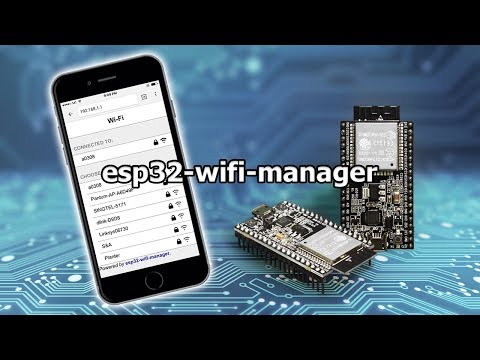
Look and Feel


Adding esp32-wifi-manager to your code
Ther are effectively three different ways you can embed esp32-wifi-manager with your code:
- Just forget about it and poll in your code for wifi connectivity status
- Use event callbacks
- Modify esp32-wifi-manager code directly to fit your needs
Event callbacks are the cleanest way to use the wifi manager and that's the recommended way to do it. A typical use-case would be to get notified when wifi manager finally gets a connection an access point. In order to do this you can simply define a callback function:
void cb_connection_ok(void *pvParameter){
	ESP_LOGI(TAG, "I have a connection!");
}
Then just register it by calling:
wifi_manager_set_callback(EVENT_STA_GOT_IP, &cb_connection_ok);
That's it! Now everytime the event is triggered it will call this function.
License
esp32-wifi-manager is MIT licensed. As such, it can be included in any project, commercial or not, as long as you retain original copyright. Please make sure to read the license file.